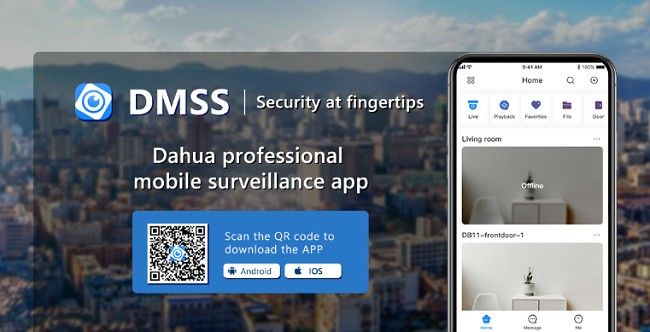
DMSS – Download Advanced Mobile Surveillance App
In an increasingly connected world, ensuring the safety of our homes, businesses, and properties is more important than ever. The DMSS App provides a powerful, easy-to-use solution for monitoring and managing surveillance systems directly from your smartphone. With real-time monitoring, playback options, and multi-device connectivity, DMSS offers unparalleled convenience and control, all in the palm of your hand.
Whether you are a homeowner looking to keep your family safe, a business owner monitoring your premises, or a security professional managing a fleet of devices, the DMSS App can streamline your security operations and give you peace of mind.
What is the DMSS App?
The DMSS App (short for Dahua Mobile Security Surveillance) is an advanced mobile surveillance application designed for seamless remote monitoring of security cameras and surveillance systems. Compatible with a wide range of IP cameras, NVRs, and DVRs, this app is perfect for both personal and professional security setups.
With the DMSS App, users can access live video feeds, control cameras, receive push notifications, and even playback recorded footage – all from their mobile device. Whether you are on the go or at home, the app offers robust functionality that makes it one of the leading surveillance solutions in the market today.
Key Features of the DMSS App
1. Live Video Streaming
One of the most valuable features of the DMSS App is its ability to provide real-time video streaming of your connected cameras. Whether you have security cameras installed in your home, office, or any other premises, you can instantly access live footage and ensure that everything is in order. The app supports HD resolution for clear and detailed video quality, allowing you to monitor key areas with precision.
2. Multi-Device Connectivity
The DMSS App supports multiple devices and cameras, which makes it easy to monitor several locations simultaneously. Users can connect and view multiple surveillance systems, such as NVRs or DVRs, through one central application. This feature is especially useful for businesses with several branches, allowing managers to monitor different premises from a single device.
3. Push Notifications & Alerts
The DMSS App offers push notifications that alert you to important events such as motion detection, camera malfunctions, or security breaches. Whether you're at work, at home, or on vacation, you can receive instant alerts on your smartphone. This ensures that you are always informed and can take immediate action if needed.
4. Playback and Video Recording
The DMSS App allows users to view recorded footage through its playback feature. This can be incredibly useful if you need to review past events, check for any suspicious activity, or verify incidents. The app supports a range of storage options, including local storage and cloud storage, so you can easily access historical footage when necessary.
5. Remote PTZ Control
If your cameras are equipped with PTZ (Pan-Tilt-Zoom) functionality, the DMSS App provides full remote control of these features. You can adjust the camera's direction, zoom in on specific areas, and enhance surveillance coverage without having to be physically present at the camera's location. This is particularly useful for monitoring large areas or keeping an eye on multiple zones.
6. User-Friendly Interface
The DMSS App is designed to be intuitive and easy to use. With a straightforward interface, users can quickly navigate between different features such as live streaming, playback, and camera control. The app is suitable for both novice and experienced users, making it an ideal solution for anyone looking to enhance their security setup without a steep learning curve.
7. Secure Remote Access
Security is a top priority for the DMSS App. The app uses advanced encryption and authentication protocols to ensure that all your surveillance data remains private and secure. You can access your surveillance system remotely with peace of mind, knowing that your connection is safe from unauthorized access.
How to Set Up and Use the DMSS App?
Setting up the DMSS App is quick and easy, even for those who may not be technically inclined. Here's a step-by-step guide to get you started:
Step 1: Download and Install the App
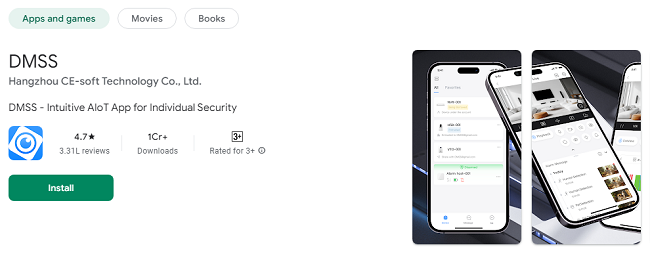
First, download the DMSS App from your device's app store. It is available on both iOS and Android platforms, so you can install it on your smartphone or tablet. Simply search for "DMSS" in your app store, click on "Install," and wait for the app to be downloaded.
Step 2: Create an Account
Once the app is installed, open it and create an account. You may need to provide basic information such as your email address and a secure password. This account will be used to manage your devices and access surveillance footage remotely.
Step 3: Add Your Devices
Next, you'll need to add your security devices to the app. The DMSS App supports a variety of devices, including IP cameras, NVRs, and DVRs. Simply enter the device's serial number or use the QR code scanning feature to automatically add your cameras and surveillance equipment to the app. You can also choose to manually input the device's IP address if necessary.
Step 4: Configure Notifications and Alerts
Once your devices are added, you can configure the app to send push notifications and alerts. Set up motion detection, low storage alerts, or even system health checks to ensure your cameras are functioning properly.
Step 5: Start Monitoring
Now you’re ready to start monitoring! Access live video feeds, control your cameras remotely, and review recorded footage. Whether you're at home or away, the DMSS App provides you with full access to your surveillance system, anytime and anywhere.
Benefits of Using the DMSS App
1. Convenience and Accessibility
The DMSS App provides the convenience of remote monitoring. You can access your surveillance system from anywhere, whether you're traveling for work, on vacation, or simply at a different location. Having real-time access to your security feeds ensures that you're always in control, no matter where you are.
2. Enhanced Security
With the DMSS App, you're taking an active role in your own security. Push notifications and instant alerts allow you to react swiftly to any potential threats or incidents. The ability to monitor multiple cameras at once ensures comprehensive coverage of your property.
3. Cost-Effective Solution
For homeowners and small businesses, the DMSS App offers an affordable and user-friendly solution to enhance security without investing in expensive monitoring services. The app allows you to set up and manage your own security system, making it a cost-effective option for anyone looking to safeguard their assets.
4. Flexibility for Businesses
For businesses, the DMSS App provides flexibility and scalability. You can monitor several locations simultaneously, manage multiple security devices, and receive alerts for specific events. Whether you're managing a retail store, office building, or warehouse, the app can help you stay on top of security.
5. Real-Time Data
With live streaming, users can view real-time data from their security systems. This enables immediate action in the event of a security breach or emergency. Whether you're tracking suspicious activity or simply monitoring daily operations, having access to live video gives you the information you need to respond quickly.
DMSS App: Compatible Devices
The DMSS App is compatible with a wide range of devices, including but not limited to:
IP Cameras: These cameras connect to your network and transmit video footage over the internet.
NVR (Network Video Recorder): These devices record video footage from IP cameras and store it on hard drives.
DVR (Digital Video Recorder): For users with analog security cameras, DVRs provide a solution to record and store video footage.
Wi-Fi Cameras: If you're using Wi-Fi-enabled cameras, the DMSS App supports wireless connectivity for easy setup.
The app is designed to work seamlessly with devices from various manufacturers, offering flexibility and ease of integration with existing security setups.
Frequently Asked Questions (FAQs)
1. What is the DMSS App?
The DMSS App is a mobile application that allows you to monitor and manage your security cameras and surveillance systems remotely. It provides real-time video streaming, playback, camera control, and alerts, all accessible from your smartphone or tablet.
2. Is the DMSS App free to download?
Yes, the DMSS App is free to download from the Google Play Store (for Android) and Apple App Store (for iOS). However, some advanced features may require additional purchases or subscriptions.
3. How do I set up the DMSS App?
To set up the DMSS App:
Download and install the app from your device's app store.
Create an account by providing your email and password.
Add your security devices (cameras, NVRs, or DVRs) by scanning the QR code or manually entering the device details.
Once set up, you can start monitoring your devices and receiving alerts.
4. Can I use the DMSS App on multiple devices?
Yes, you can use the DMSS App on multiple devices. Simply log in with the same account on different smartphones or tablets to access your cameras and surveillance systems.
5. Does the DMSS App support live video streaming?
Yes, the DMSS App allows you to stream live video from your connected security cameras in real-time. You can view live footage directly from your phone or tablet.
6. How do I receive notifications on the DMSS App?
You can set up push notifications for important events like motion detection, camera offline status, or storage warnings. Simply go to the settings section of the app and enable notifications for the specific events you want to be alerted about.
7. Can I control my cameras remotely using the DMSS App?
Yes, the DMSS App allows you to control your cameras remotely, including features like PTZ (Pan-Tilt-Zoom) for compatible cameras. You can adjust the camera’s view, zoom in on specific areas, or change its direction.
8. Is the DMSS App compatible with both Android and iOS?
Yes, the DMSS App is available for both Android and iOS devices. You can download it from the Google Play Store for Android or the Apple App Store for iOS.
9. Can I store my video recordings in the cloud?
Yes, the DMSS App supports cloud storage for video recordings. You can store your footage securely online for easy access and backup.
10. How many devices can I connect to the DMSS App?
The DMSS App allows you to connect and manage multiple devices. There is no strict limit, but the performance may vary based on the number of cameras and your internet speed. Larger setups may require additional network bandwidth.
11. Can I view recorded footage on the DMSS App?
Yes, you can view recorded footage from your cameras through the playback feature of the DMSS App. This allows you to review past events and monitor areas even when you're not able to watch the live feed.
12. Do I need an internet connection to use the DMSS App?
Yes, an internet connection is required to access the DMSS App remotely. However, if you're on the same local network as your surveillance system, you can still view live footage without an internet connection.
13. Is my data secure on the DMSS App?
Yes, the DMSS App uses advanced encryption to ensure your data is secure. Only authorized users can access your surveillance system, and all communications between your app and devices are protected.
14. Can I use the DMSS App with any security camera?
The DMSS App is compatible with a wide range of IP cameras, NVRs, and DVRs from various manufacturers. However, ensure your devices are supported by the app for smooth integration.
15. Can I use the DMSS App for business security?
Yes, the DMSS App is ideal for business security. You can monitor multiple locations, manage several devices at once, and receive notifications for important events, making it perfect for retail stores, offices, warehouses, and other business settings.
16. What happens if my camera goes offline?
If your camera goes offline, the DMSS App will notify you via push notifications. You can also check the connection status within the app to troubleshoot and restore the camera's connection.
Conclusion: Why Choose the DMSS App?
The DMSS App stands out as a top-tier surveillance solution that offers real-time video streaming, intuitive controls, secure access, and robust functionality. Whether you're a homeowner, small business owner, or a security professional, the app's ability to manage multiple devices and monitor various locations provides unmatched convenience and control. With its user-friendly interface, cost-effectiveness, and advanced features, the DMSS App is the ultimate tool for anyone seeking enhanced security.
By choosing the DMSS App, you’re investing in a smart, reliable, and comprehensive security solution that helps protect your assets and gives you peace of mind, no matter where you are.
Trending Now
Updates