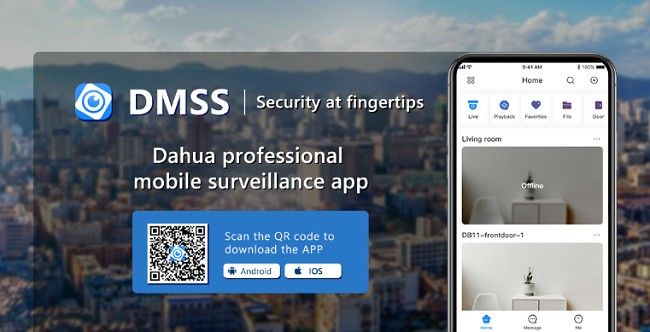
How to Download & Use DMSS App on Your Android & iOS?
In today's world, security is paramount, whether for your home, office, or business. With the increasing demand for effective and real-time surveillance systems, the DMSS app stands out as an excellent solution. This application offers remote viewing, playback capabilities, and instant notifications for security cameras, helping you stay on top of your security needs from anywhere. If you're looking to download and use the DMSS app on your Android or iOS device, this guide will walk you through every step, providing all the necessary details to help you make the most of this powerful surveillance tool.
What is DMSS?
The DMSS app is an advanced mobile surveillance application designed for monitoring and managing surveillance systems remotely. It allows you to view live camera feeds, replay recorded footage, receive notifications when alarms are triggered, and control your security system from a distance. The app is widely used with a variety of surveillance devices, such as IP cameras, NVRs (Network Video Recorders), and DVRs (Digital Video Recorders), providing users with a comprehensive security management solution.
Key Features of DMSS App:
Live View: Watch live footage from your surveillance cameras in real-time, no matter where you are.
Playback: Access recorded footage from the past, allowing you to review events at any time.
Push Notifications: Receive instant alerts on your device whenever an alarm or unusual activity is detected by your system.
Two-Way Audio: Some DMSS-compatible devices support two-way audio, allowing you to listen and speak to people through the camera.
Easy Device Setup: The app offers an intuitive setup process for adding and managing your surveillance devices.
Cloud Storage: Store footage on cloud servers for easy retrieval and backup.
How to Download & Install DMSS App on Android?
Downloading and installing the DMSS app on your Android device is a simple and straightforward process. Here’s how to do it:
Step 1: Open the Google Play Store
Unlock your Android device.
Locate and tap on the Google Play Store app to open it.
Step 2: Search for the DMSS App
In the search bar at the top of the screen, type DMSS.
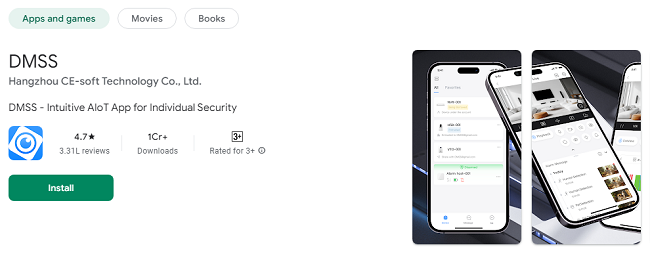
You should see the official DMSS app listed in the search results. Look for the one developed by Zhejiang Dahua Technology Co., Ltd. to ensure you are downloading the official app.
Step 3: Install the DMSS App
Tap on the Install button next to the DMSS app.
Wait for the app to download and install on your device. The installation time will depend on your internet speed.
Step 4: Open the DMSS App
Once the app is installed, tap on Open to launch the DMSS app.
Alternatively, you can find the app icon on your home screen or in your app drawer and tap on it to open the app.
Step 5: Sign Up or Log In
When you first open the DMSS app, you will be prompted to either log in if you already have an account, or to sign up if you don’t have an account.
To create an account, provide your email address, set a password, and follow any additional instructions.
Once logged in, you can begin adding devices and configuring your surveillance system.
Step 6: Add Your Surveillance Device
In the app’s main interface, you will find an option to add a device. This might be labeled as “Add Device” or “+”.
Follow the on-screen instructions to enter your device’s details (such as device name, IP address, port number, username, and password) and connect the app to your surveillance camera, NVR, or DVR.
Once connected, you will be able to view live footage and manage your security system directly from your Android device.
How to Download & Install DMSS App on iOS?
Installing the DMSS app on an iPhone or iPad is just as easy as on Android. Here’s a step-by-step guide to help you get started:
Step 1: Open the App Store
Unlock your iOS device (iPhone or iPad).
Tap on the App Store icon to open it.
Step 2: Search for the DMSS App
In the search bar at the bottom of the screen, type DMSS.
Look for the official DMSS app developed by Zhejiang Dahua Technology Co., Ltd..
Step 3: Install the DMSS App
Tap on the Get button next to the DMSS app.
You may be prompted to enter your Apple ID password or use Face ID/Touch ID for authentication.
Wait for the app to download and install.
Step 4: Open the DMSS App
Once the app is installed, tap on Open.
You can also find the DMSS app icon on your home screen once the installation is complete.
Step 5: Sign Up or Log In
Upon opening the DMSS app for the first time, you will be asked to log in or create an account.
If you already have an account, enter your login credentials.
If you don’t have an account, you can easily sign up by providing an email address and setting a password.
Step 6: Add Your Surveillance Device
After logging in, tap on Add Device or the + button to connect your surveillance equipment.
Follow the on-screen instructions to enter your device’s IP address, port number, username, and password.
Once your device is added, you will have access to live surveillance footage and other device management features.
How to Use DMSS App on Android & iOS?
Once you’ve installed the DMSS app on your Android or iOS device, you’ll want to know how to make the most out of its features. Here’s a breakdown of how to use the DMSS app effectively.
1. Viewing Live Footage
After adding your surveillance devices, you can view live footage in real-time:
Tap on the device you want to view.
The live feed from the camera will appear on your screen.
You can swipe to switch between different cameras if you have multiple devices connected.
Use pinch-to-zoom to zoom in and out for a closer view of specific areas.
2. Playback of Recorded Footage
DMSS allows you to replay footage from past events, so you can review specific incidents or check security footage from a certain time period:
Tap on the Playback option in the app.
Choose the date and time range you want to view.
Tap on the timeline to play the video, or use the controls to fast-forward, rewind, or pause the footage.
3. Push Notifications
The DMSS app can send push notifications if any motion is detected or if an alarm is triggered by one of your surveillance devices:
Make sure that Push Notifications are enabled in your device settings.
When an event is detected, you will receive an instant notification on your device.
You can tap the notification to directly access the live feed or recorded footage related to the alarm.
4. Control Camera Settings
The DMSS app also allows you to adjust the settings of your surveillance cameras directly from your phone:
Tap on the camera device in the app.
Navigate to the settings or configuration section.
From there, you can adjust settings such as resolution, frame rate, motion detection sensitivity, and more.
5. Two-Way Audio (If Supported)
If your device supports two-way audio, you can communicate through the camera using the app:
Tap on the audio icon during live viewing.
Hold the microphone button to speak, and listen to the audio captured by the camera.
6. Multiple Device Management
If you have multiple cameras or devices connected, you can view them all at once:
Tap on the Multiple Camera View option.
You can arrange your cameras in a grid layout for easy access.
Switch between cameras with a single tap.
7. Cloud Storage for Footage
DMSS offers the option to store your footage on the cloud, making it easier to access recorded videos:
Subscribe to a cloud storage plan (if available) within the app.
View and download your footage from the cloud directly via the DMSS app.
Conclusion
The DMSS app provides a powerful, user-friendly solution for remotely managing and monitoring your security systems. Whether you are on an Android or iOS device, the app allows you to view live footage, replay recorded videos, receive instant notifications, and more—all at the convenience of your fingertips. By following the simple steps outlined in this guide, you can easily download, install, and set up the DMSS app, ensuring that your property remains secure no matter where you are.
With the growing demand for security and surveillance technology, the DMSS app is a must-have tool for anyone looking to stay in control of their security systems. Download the app today and enhance your security management efficiency!
Trending Now
Updates